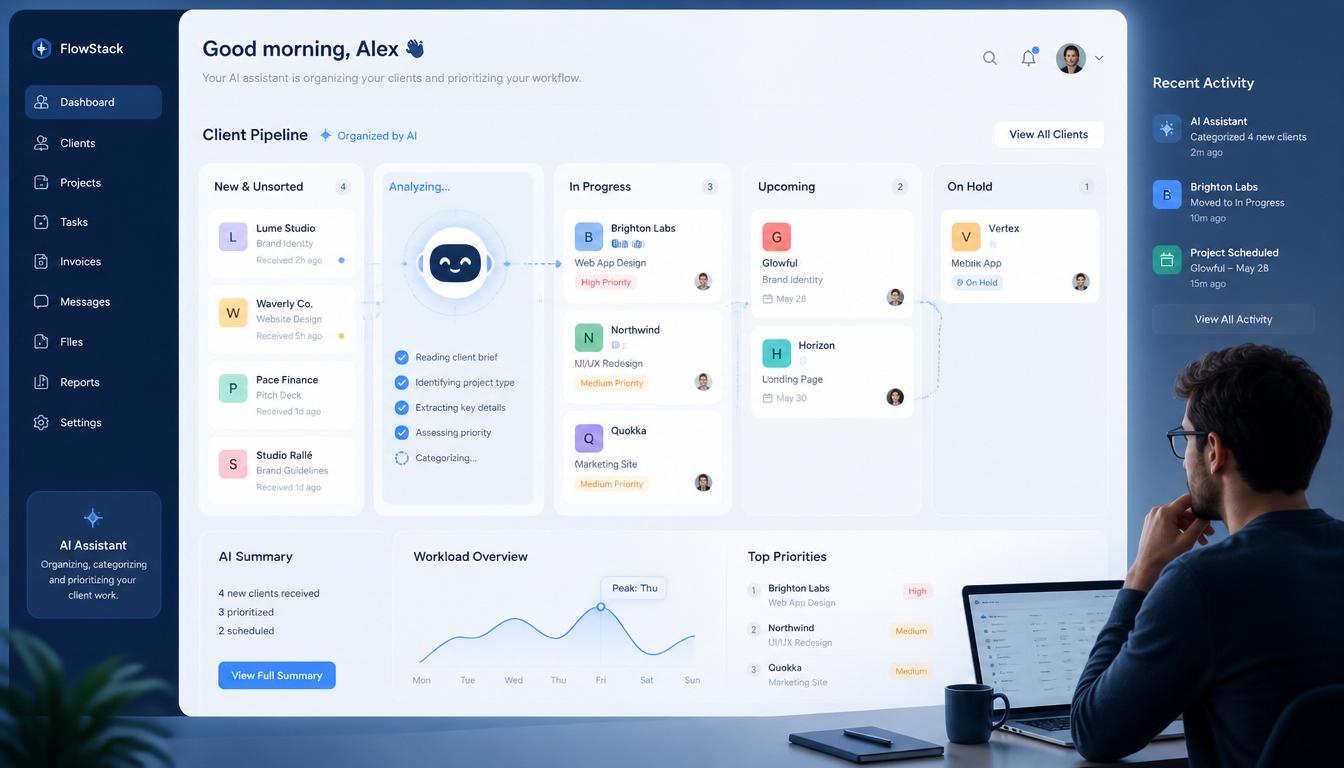
You finished the work. The client is happy. But it’s 11pm on a Sunday and you are still answering “quick questions,” updating project trackers, writing status emails, and trying to remember what you promised the new client on Wednesday’s call.
This is the part of freelancing nobody warns you about. The actual work is fine. The work AROUND the work is what burns people out.
If you are juggling 3 to 5 clients right now and feeling like your brain has too many tabs open, AI for freelance client management is the single biggest unlock available to you in 2026. Not by replacing your judgment. By taking over the repetitive admin work that eats your week.
This guide walks through 6 specific AI workflows for freelance client management. Each one solves a real problem freelancers run into. Each one can be set up in under an hour and saves 3 to 5 hours per week from that point forward.

Why Freelance Client Management Breaks Most People
Here is what nobody tells you when you start freelancing. Each client you add does not just add work. It adds cognitive overhead that grows exponentially, not linearly.
One client requires you to remember their tone, their deadlines, their preferred tools, their feedback patterns, and their billing cycle. Two clients means double the mental load. Five clients means your brain has roughly 50 active things to track at any moment.
Studies on context switching show knowledge workers need about 23 minutes to fully refocus after switching tasks. If you are bouncing between 4 clients across a typical day, you lose 90+ minutes just to mental switching cost. That is invisible time that never shows up on your invoice but absolutely shows up in your exhaustion.
AI for freelance client management does not fix this by working harder. It fixes it by removing the switches entirely. The AI handles the small stuff (status updates, follow-ups, brief drafts, scheduling) so your brain only deals with the work that actually requires your skill.
What AI Can Do For Freelance Client Management
Before the workflows, let me be honest about the scope. AI is not magic. It is a fast junior assistant that needs supervision.
What AI handles brilliantly:
- Drafting client status update emails
- Summarizing long client briefs into clear action items
- Generating meeting agendas and follow-up notes
- Writing client onboarding documents
- Tracking deliverables across multiple projects
- Translating client feedback into specific tasks
- Drafting “quick question” responses that need a polite reply
What AI cannot do:
- Build genuine client relationships
- Make judgment calls about scope or rates
- Replace your taste or expertise
- Know what your client really meant in a vague brief
- Care about whether the work is actually good
The freelancers winning with AI for freelance client management treat AI as a tool that handles speed and volume, while they handle judgment and quality. That balance is the whole game.
The 6 AI Workflows For Freelance Client Management
Each workflow below uses tools available on free tiers. You do not need to pay for anything to start. Pick the workflows that match your biggest pain points and set them up one at a time.
Workflow 1: The Client Brief Decoder
Problem: A new client sends a vague 3 paragraph brief and you have no idea what they actually want.
The AI workflow:
Open ChatGPT or Claude. Paste the client brief exactly as they sent it. Use this prompt:
You are an experienced freelance project manager. Read this client brief
carefully and tell me:

1. What the client explicitly says they want
2. What they probably actually want (reading between the lines)
3. What is unclear and needs clarification before I quote a price
4. What scope creep risks I should flag in my response
5. What questions I should ask the client to avoid mistakes
6. A suggested realistic timeline and price range

Here is the brief:

[Paste the client brief]
Time saved: 30 to 45 minutes per new client brief. Plus you avoid expensive misunderstandings later.
If your bigger problem is not decoding briefs but finding clients to send briefs in the first place, the 9 AI cold email templates for freelancers guide has the exact scripts that book 8 to 25 percent reply rates from cold prospects.
Workflow 2: The Status Update Generator
Problem: Every Friday you need to send 3 to 5 client status updates. They all sound the same. You hate writing them.
The AI workflow:
Set up a Notion page or Google Doc where you log brief notes during the week. Just one or two lines per client per day. Not formal. Just whatever happened.
Then on Friday, paste your week’s notes into Claude with this prompt:
You are my freelance assistant. Below are my rough notes from this week
for [Client Name]. Turn these into a professional weekly status update
email to the client.

The email should:
- Open with a brief warm line
- Summarize progress in 2 or 3 clear bullets
- Mention any blockers or items needing client input
- Confirm next week's priorities
- End with a clear call to action
- Stay under 200 words
- Match a confident but warm professional tone

My notes from this week:

[Paste your notes]
Time saved: 15 to 20 minutes per client email. If you send 4 weekly updates, that is over an hour saved every Friday.
Workflow 3: The Meeting Notes Translator
Problem: Client calls produce 30 minutes of conversation. You forget half of it within 2 hours. The action items get lost.
The AI workflow:
Use any free transcription tool (Otter.ai free tier, Fireflies free tier, or even your phone’s voice memo + free transcription). Record the call with client permission. After the call, paste the transcript into Claude with this prompt:
You are my freelance assistant. Below is the transcript from a client
call with [Client Name]. Convert this into:

1. A clear summary of what we discussed (under 150 words)
2. A bulleted list of decisions made
3. A bulleted list of action items, with owner (me or client) and
   suggested deadline
4. A list of open questions still needing answers
5. A short follow-up email I can send the client confirming next steps

Here is the transcript:

[Paste transcript]
Time saved: 25 to 40 minutes per client call. Plus you stop losing important details that come back to haunt you in week 3.
Workflow 4: The Feedback Decoder
Problem: Client sends 10 lines of vague feedback. You spend 20 minutes trying to figure out what they actually want changed.
The AI workflow:
Paste the feedback into Claude with this prompt:
You are my freelance project manager. A client just sent me this feedback
on my work. Help me translate this into clear action items.

For each piece of feedback, identify:
1. What specific change the client is requesting
2. Whether this is within original scope or scope creep
3. How much time the change will realistically take
4. Any questions I need to ask before making the change
5. The priority level (must change, should change, nice to have)

Here is the feedback:

[Paste feedback]

Also draft a brief response to the client confirming I have received the
feedback and outlining when each change will be done.
Time saved: 15 to 30 minutes per round of feedback. And you catch scope creep before you accidentally do free work.
Workflow 5: The Onboarding System
Problem: Every new client wants different things. You write the onboarding from scratch every time. It takes hours.
The AI workflow:
Build a master onboarding template once. Then use AI to customize it per client. Here is the prompt:
You are my freelance operations manager. Below is my standard client
onboarding template. I just signed a new client. Customize the template
for this specific client based on the details below.

Client details:
- Name: [Client name]
- Industry: [Their industry]
- Services I'm providing: [Services]
- Communication preference: [Email, Slack, etc]
- Timezone: [Their timezone]
- First deliverable: [What's due first]
- Special notes: [Anything unique about this client]

My standard onboarding template:

[Paste your template]

Customize each section to reference this client by name, their industry
context, and the specific work we'll be doing. Make it feel personal
without being generic.
The first time you set this up takes 30 minutes (building your master template). Every onboarding after that takes 5 minutes.
Time saved: 60 to 90 minutes per new client. Plus your onboarding looks dramatically more professional.
Workflow 6: The Multi-Client Dashboard
Problem: You have no single view of what is due across all clients. Things slip. Clients notice. Trust erodes.
The AI workflow:
This one combines AI with a simple tool. Use Notion (free) or a Google Sheet. Create a table with columns:
- Client name
- Project name
- Current deliverable
- Due date
- Status (not started, in progress, blocked, complete)
- Last client contact
- Next action needed
Every Monday morning, paste your dashboard into Claude with this prompt:
You are my freelance chief of staff. Below is my client dashboard for
this week. Analyze it and give me:

1. What I MUST complete this week, in priority order
2. Any deliverables that are at risk of being late
3. Any client I have not contacted in over 7 days who needs a check-in
4. Any blocked items where I need to escalate or follow up
5. A suggested daily focus plan for Monday through Friday based on
   urgency and effort

Here is my dashboard:

[Paste your dashboard data]
This 5 minute weekly review gives you complete situational awareness across all clients. You stop being reactive. You start running your business.
If you want to go beyond manual prompts and have these workflows run on autopilot, the AI agents for freelancers breakdown shows exactly how to build autonomous client update agents and weekly planning agents that handle this entire dashboard review for you every Sunday night.
Time saved: Roughly 2 to 4 hours per week in mental overhead, missed deadlines avoided, and reactive crisis management.

Best AI Tools For Freelance Client Management In 2026
You do not need 10 tools. You need 2 or 3 that work together. Here is the honest stack most working freelancers settle on.
Claude or ChatGPT (Pick one): The general-purpose AI for all 6 workflows above. Claude is better for tone and long context. ChatGPT is faster for short tasks. Both have free tiers. If you write more than 10,000 words per week, the $20 Pro tier pays for itself.
Notion (Free tier): The best free hub for your client dashboard, brief storage, and notes. The AI features inside Notion Pro are nice but not necessary if you use Claude separately.
Motion or Reclaim (Optional, paid): AI scheduling tools that auto-arrange your calendar around deadlines. Worth it if you have 5+ clients and constant calendar chaos. Skip if you have under 3 clients.
Otter or Fireflies (Free tier): Call transcription. Free tiers are fine unless you do more than 5 calls per week.
Wave or Conta (Free): Invoicing software. Pair with Claude for writing the invoice content.
That whole stack costs zero dollars to start. Add paid tools only when free tiers become genuine bottlenecks, not because you think they will fix everything.
Common Mistakes With AI Client Management
After watching many freelancers try to set this up, here are the patterns that fail.
Mistake 1: Trying To Automate Everything Day One
Pick ONE workflow above. Set it up properly. Use it for two weeks. Then add the next one. Trying to set up all 6 in a single weekend leads to abandoning the whole system within a month.
Mistake 2: Skipping The Notes Habit
Workflow 2 (status updates) and Workflow 6 (dashboard) both depend on you keeping brief notes during the week. Two minutes per day. If you skip this, the AI has nothing to work with on Friday.
Mistake 3: Sending AI Output Without Reviewing
The AI gets things wrong. Sometimes it makes up deadlines. Sometimes it mishears action items. Spend 30 seconds reviewing every output before sending it to a client. Trust but verify.
Mistake 4: Treating AI As Permission To Take More Clients
The point of AI for freelance client management is to give you more breathing room with your existing clients, not to fit more clients into the same week. Use the time you save to do better work or rest. Not to overbook yourself again.
Mistake 5: Forgetting To Save Your Prompts
Every prompt above is meant to be saved and reused weekly. Build a personal prompt library in a Google Doc. Within a month you stop typing prompts from scratch and just paste and customize.
How Many Clients Can You Actually Manage With AI
Honest answer based on what I see working in 2026.
Without AI, most freelancers max out at 3 active clients without dropping quality.
With AI for freelance client management workflows like the 6 above, that ceiling moves to 5 or 6 active clients comfortably. Beyond 6, you start needing actual humans (virtual assistants, subcontractors) to maintain quality regardless of how much AI you use.
The trap to avoid: AI lets you HANDLE more clients, but that does not mean you SHOULD have more clients. The freelancers winning in 2026 are using AI to do the same client load with less stress, not to grind through more work. The math on doubling your clients with AI sounds great until you remember each client also doubles the relationship maintenance, emotional labor, and risk of a bad fit. This is part of the broader strategic shift covered in how freelancers can beat AI, which lays out 7 specific moves to reposition your business in 2026.
FAQ
What is the best AI tool for freelance client management?
For most freelancers, Claude or ChatGPT combined with free Notion is the strongest starting stack. Claude handles the drafting and analysis, Notion holds your dashboard and notes. Total cost: $0. Add paid tools like Motion only when your existing system genuinely hits a wall.
Can AI replace a project management tool like Trello or Asana?
Not entirely. AI is great at thinking, drafting, and analyzing. A project management tool is great at structured visual tracking. The strongest setup is both together: Trello or Notion for the visual dashboard, AI for the thinking and writing around it.
How do I keep AI from making my client emails sound robotic?
Three things. First, give AI a clear tone instruction in your prompt (“warm but professional, sounds like a real person”). Second, paste examples of your past emails so AI matches your voice. Third, review every output and edit out any phrases that sound corporate. The voice-match prompt in our Claude prompts for freelance writers guide works perfectly here.
Is it ethical to use AI for client communication?
Yes, as long as you review what you send. AI is a tool, like using a calculator for math or a spell checker for writing. The work and judgment are still yours. The lines you should not cross: do not let AI make decisions for the client, do not paste confidential client data into free AI tools that train on inputs, and do not pretend AI did not help if a client directly asks.
How long does it take to set up these AI client management workflows?
The first workflow takes about 60 to 90 minutes to set up properly (saving the prompt, building any templates, doing your first run). Each additional workflow takes 20 to 30 minutes once you understand the pattern. Total time to set up all 6: about 5 hours over a couple of weeks. Time you save in return: 5 to 8 hours per week, forever.
Will using AI for client management hurt my client relationships?
Only if you use it lazily. Clients hate generic AI-generated emails that miss the specifics of their project. They love getting fast, clear, well-organized communication. The difference is whether you review and personalize AI output, or just paste-and-send. Done right, AI for freelance client management makes you look MORE attentive, not less.
Final Thought
The biggest myth in freelancing is that successful freelancers are the most talented ones. They are not. They are the most organized ones.
AI for freelance client management is not about getting rid of the human work. It is about getting rid of the BORING work so the human work gets your full attention. Status emails, brief decoding, meeting notes, feedback translation, onboarding documents, weekly dashboards. None of these are why you became a freelancer. None of these are what your clients are paying for. All of these can be largely automated with the 6 workflows above.
Pick one workflow this week. Set it up properly. Use it for two weeks. Then add the next one. Within a month your week will feel completely different. Within three months you will wonder how you ever managed clients without these systems.
Want to keep building your AI freelance toolkit? Read 7 Boring Freelance Tasks You Can Fully Automate with AI in 2026, How to Use ChatGPT for Freelance Invoicing, and How I Cut My Client Email Time by 70% Using Claude for more workflows that save real time.